Mediavine Rebrand
Mediavine’s old publisher portal looked like something from 2008, and was very overwhelming to look at. As part of Mediavine’s rebranding effort in late 2025, I designed several pages for the new Publisher Dashboard, and was in charge of creating and maintaining the new Design Library and all of its systems and assets.
Welcoming, Personalized , and Efficient.
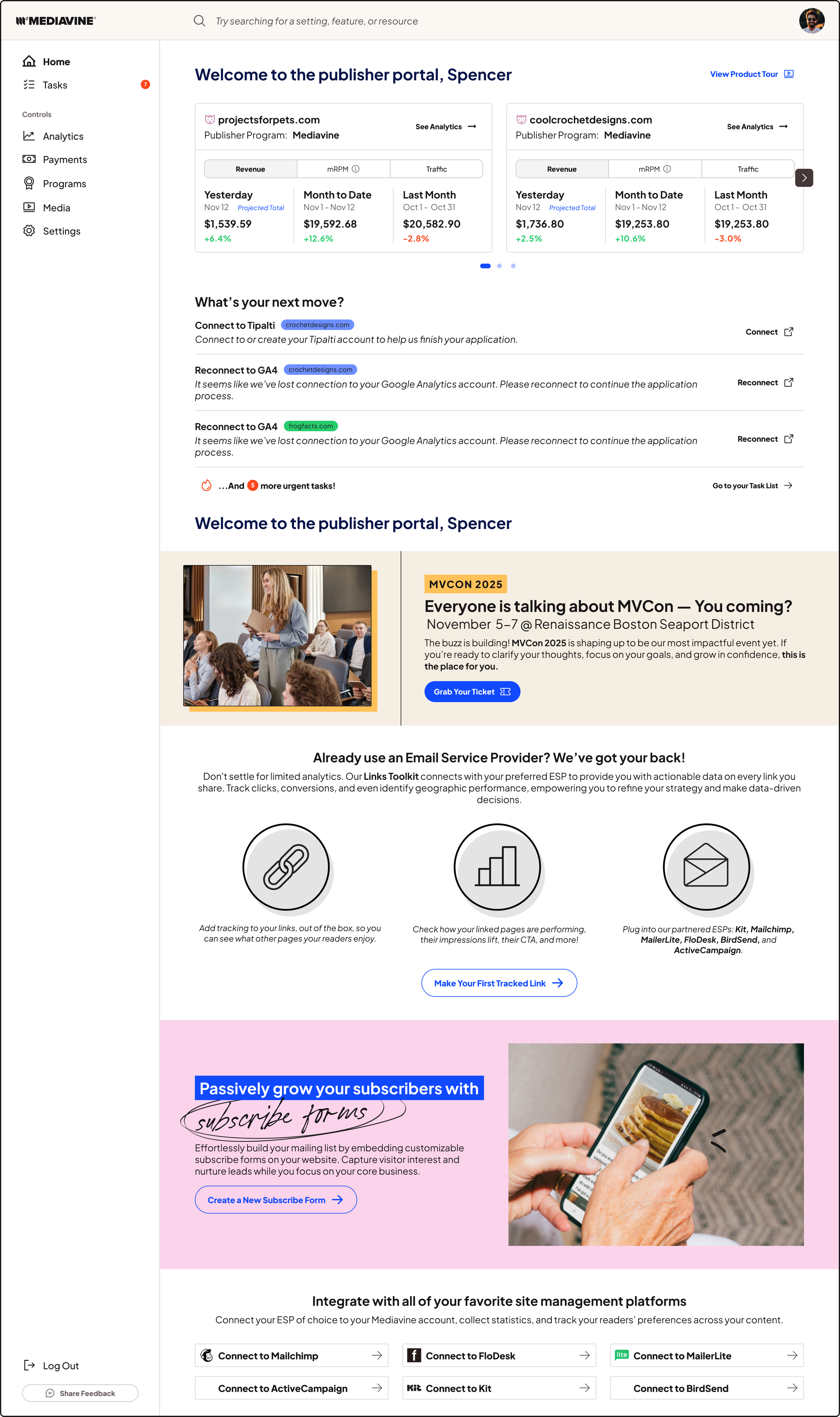
My clean, publisher-first landing page designed to make complex ad-tech simple and actionable.
This layout prioritizes immediate orientation, with account cards and revenue snapshots at the top to give publishers a quick health check. Below is a clear task list driving users toward high-impact actions (connect tools, fix analytics) with one-click CTAs.
Visual hierarchy, generous white space, and consistent iconography guide attention through promotional panels, features, and integrations without overwhelming the user.
Analytics that don’t make you (as) dizzy…
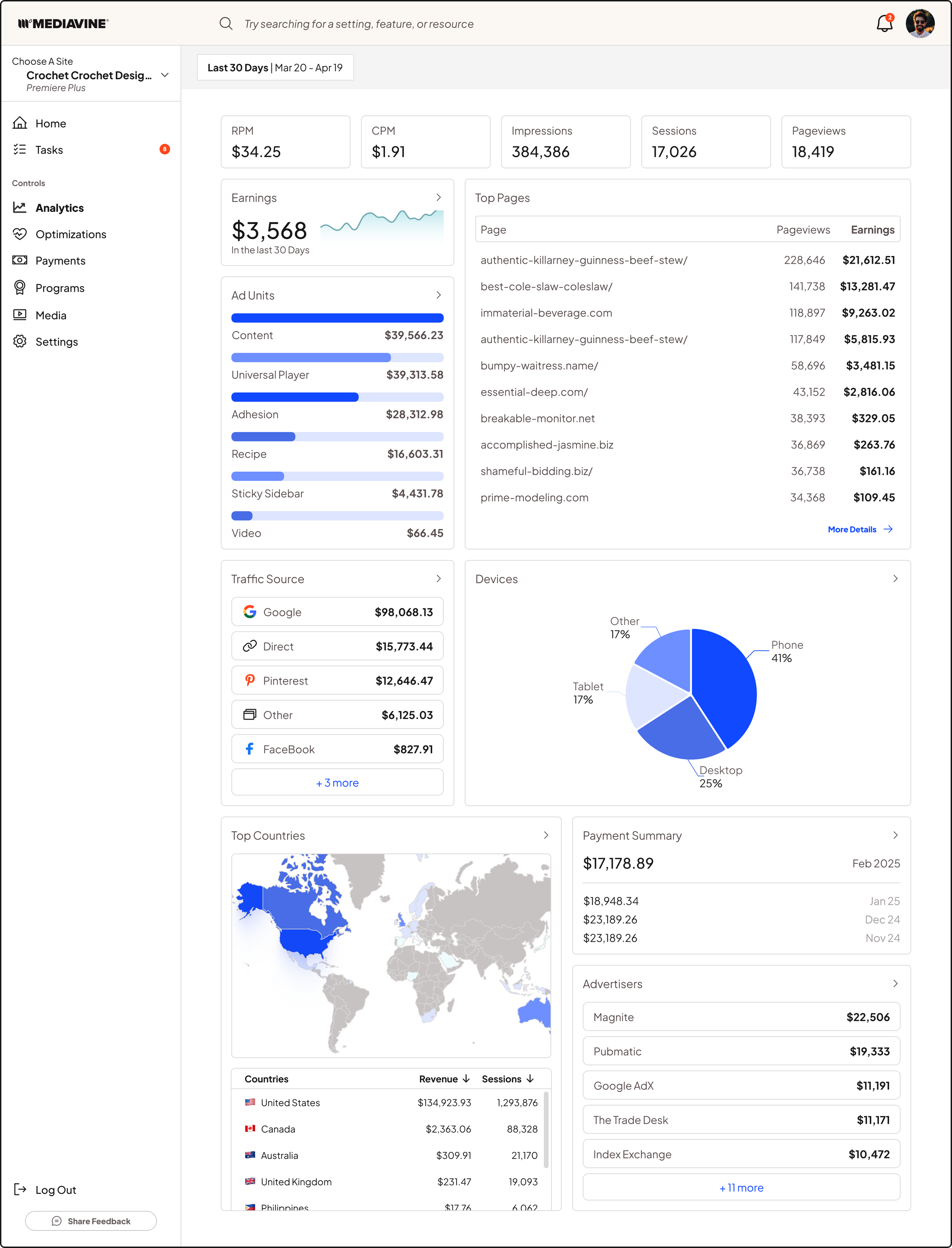
This data-first analytics dashboard has a clean, modular layout. While ideating on this layout, we prioritized scannability, clean visual hierarchy, and keeping the metrics our publishers ranked as most important above the fold.
Key KPIs sit at the top, while modular cards let publishers read and drill into the details with ease.
Say Hello to You!
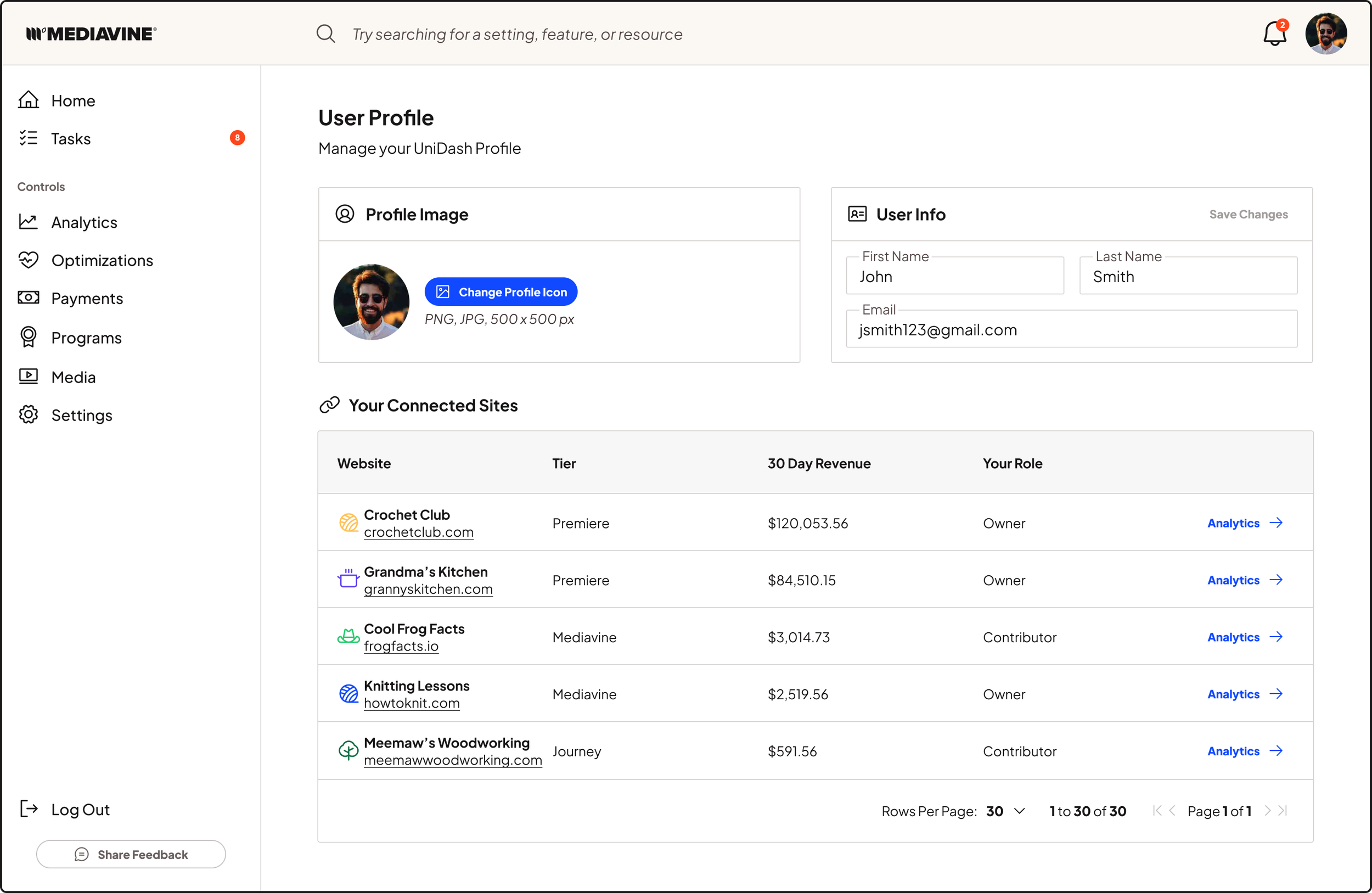
Here’s my design for Mediavine’s clean, lean, publisher-focused user profile: a single view for personal info, profile image, and every site the user manages. The spacious layout and clear typographic hierarchy reduce cognitive load and scale smoothly for users managing dozens of different sites.
Settings and Settings and Settings and - More Settings!
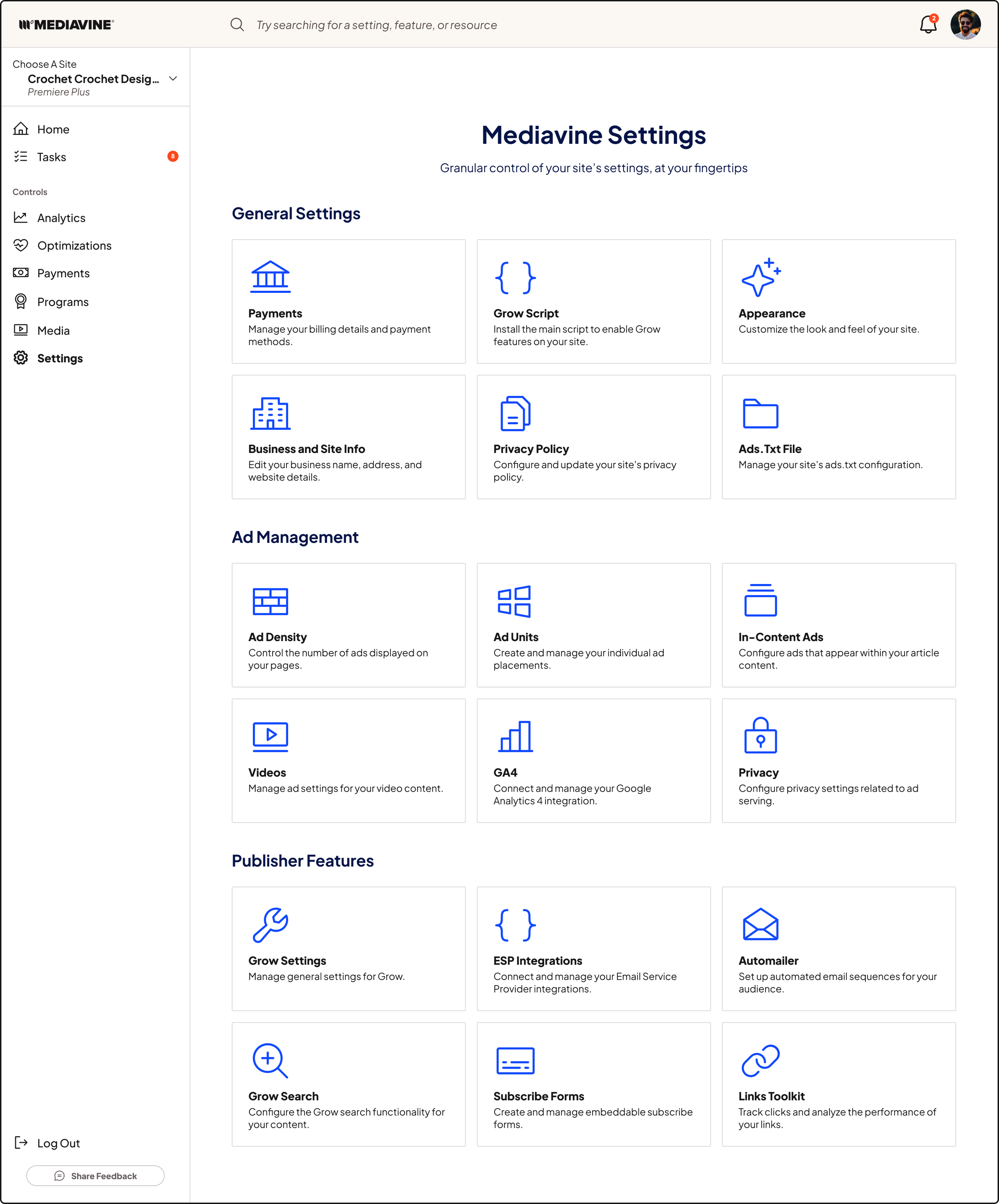
Mediavine has a lot of settings and customizability. And I mean a loooooot. And all of the settings were previously very loosely organized, with no search functionality, and no explanation or microcopy of what settings do. It felt more geared toward our support staff, who already knew what all of the settings did and where to find them, as opposed to our publishers.
So! Where to put hundreds of settings? Well, first, I broke the settings into different broad category buckets, and then smaller subcategories below that. Then, redesigned the settings to have friendly and concise microcopy that explained what each option controlled.
To note: Many of the settings portrayed here are only visible to certain publisher programs/ranks, so they only see a fraction of these settings at once.
Getting to the root of a publisher’s successes and shortcomings…
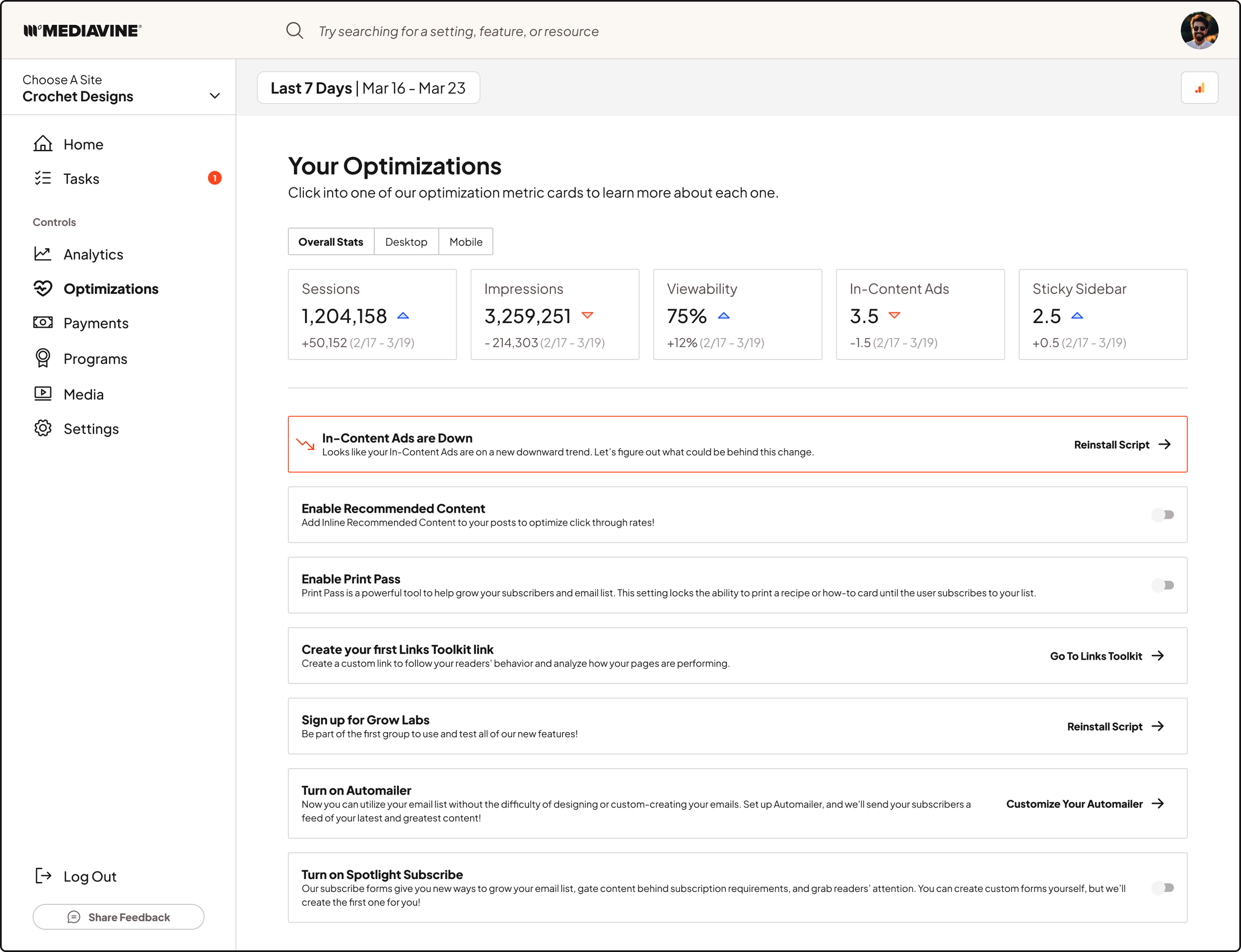
Here lies the optimizations area in Mediavine, an upcoming feature that will offer publishers more control over their site’s performance, and give users AI-powered analysis tools to help optimize and drill into what they’re doing right, and what can be improved on.
These pages feature quick views of important stats that determine overall site health, and offer quick, one-click CTAs to help improve those metrics.
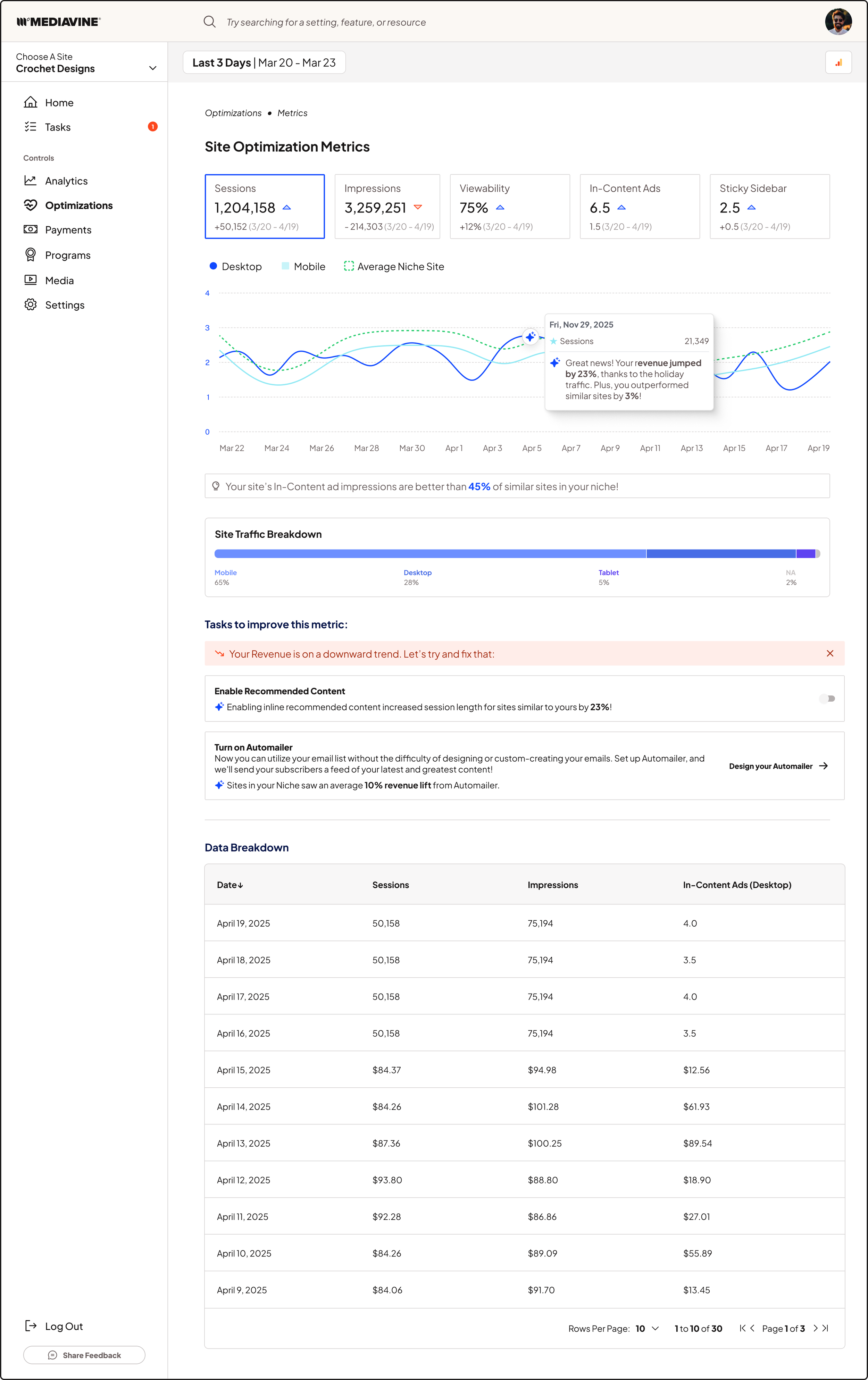
When you click into the individual site stats, you can the history of those metrics, see how things perform on desktop vs mobile, and even glean AI insights as to why your stats may have dropped or spiked.
We’re also adding the Site Niche feature. Mediavine has thousands of publishers all with different site sizes and needs, and tasks that may improve the performance of a site with 100k views a month may not be what a site with 10 Million views a month needs.
So we want to give actional feedback to people by bracketing off different categories of sites, and measure performance for these sites internally against their relevant peers.